How to Change Where Chrome Saves Downloads (or Ask Every Time)
- Chrome saves every download to the wrong folder
- You want Chrome to ask where to save each file
- You can't find where a file you just downloaded went
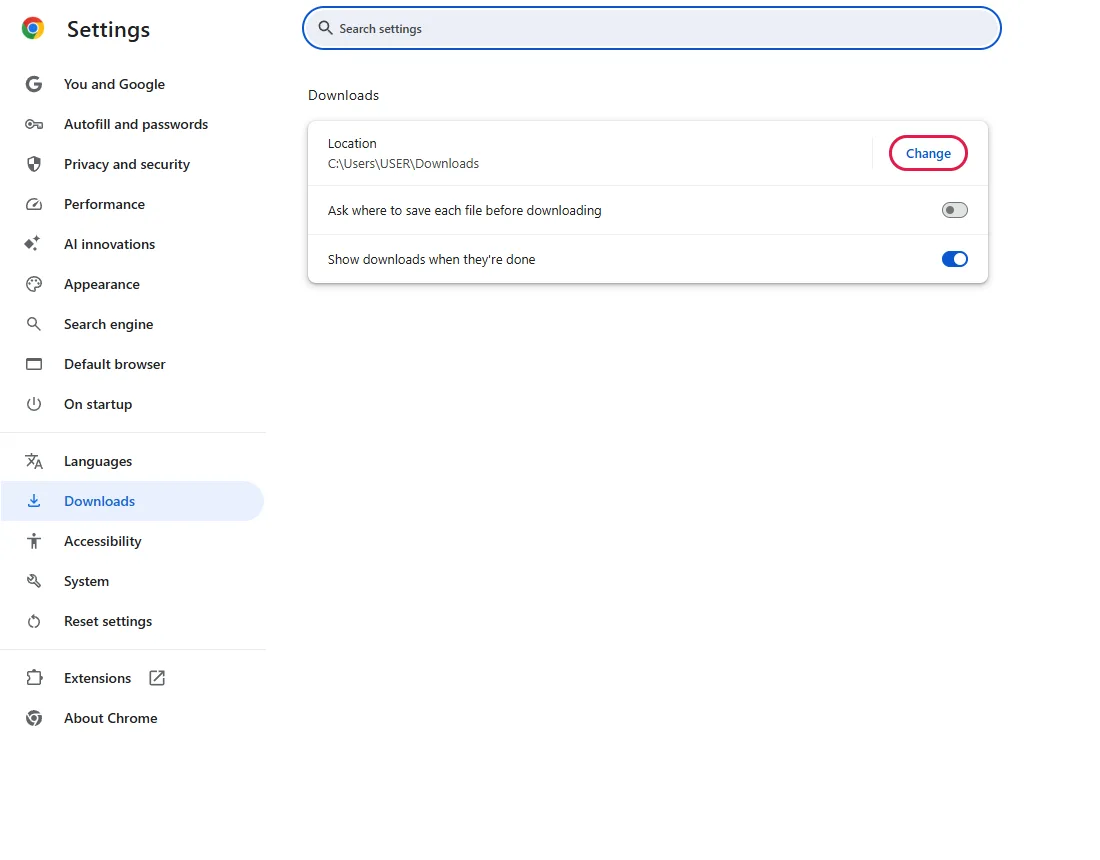
chrome://settings/downloads. Location shows the current folder; click Change to pick another. To choose a folder for each file instead, turn on Ask where to save each file before downloading; it was off in our fresh test profile. In a new Windows 11 profile the location was C:\Users\<your name>\Downloads.What this test does and doesn't cover
Procedure checked
- Path to Downloads settings
- Location shown for a fresh Windows 11 profile
- "Ask where to save each file before downloading" was off in our fresh test profile
Result checked
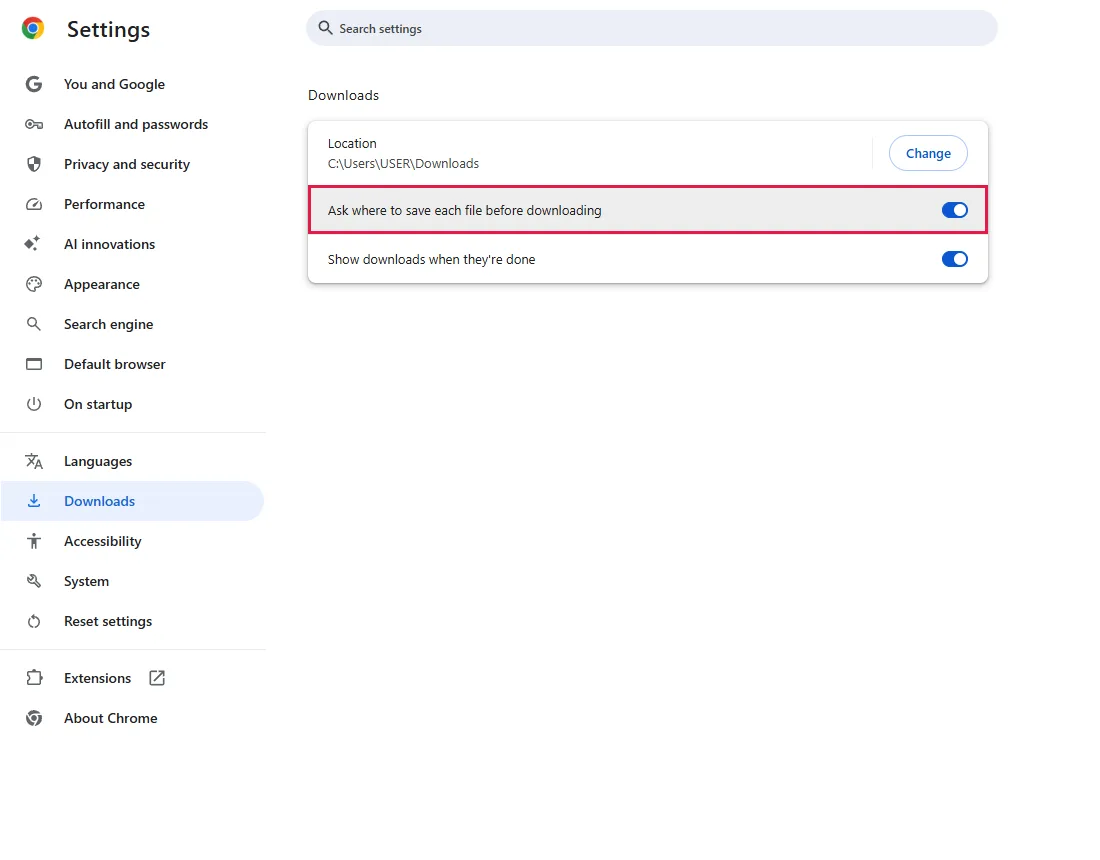
- The switch turns on when clicked
Side effects checked
Not tested in this run
Not tested
- The Windows folder picker opened by Change (system window outside the browser page)
- An actual download after the change
Screenshots come from our own runs unless a step is marked otherwise.
When to use this
Use it when you can't find downloaded files, want them on another drive, or want to choose a folder for each download.
To find a file you already downloaded, press Ctrl+J to open Chrome's download list. From official docs, not tested here
Steps
Open Downloads settings
Chrome menu (⋮) → Settings → Downloads, or paste chrome://settings/downloads.
Under Location you'll see the current folder; ours read C:\Users\USER\Downloads (USER is the test account's name). Change is outlined.
Change the folder
Click Change and pick a folder in the window that opens. That window belongs to Windows, so it isn't in our screenshots.
Or let Chrome ask every time
Ask where to save each file before downloading (outlined) was off in our fresh test profile.
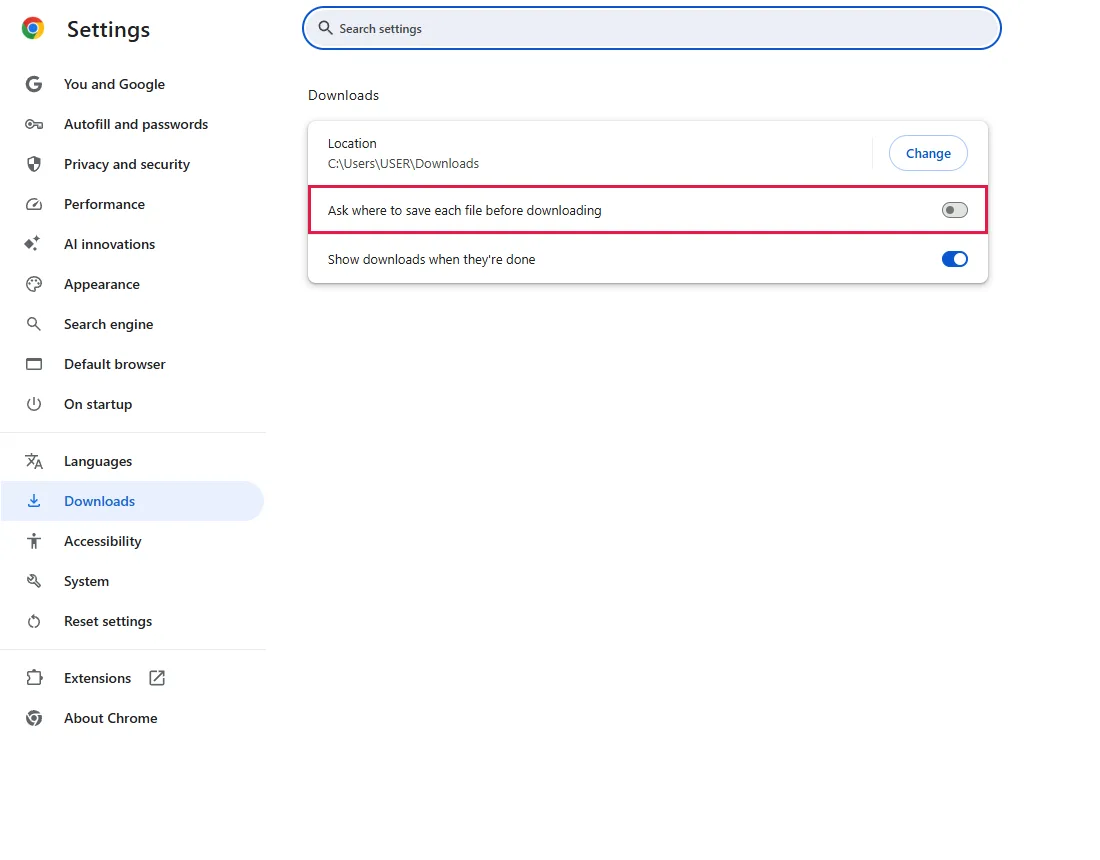
Click it to turn it on. Chrome then asks for a folder on every download. From official docs, not tested here
Common questions
What does "Show downloads when they're done" do?
It's the switch below; it was on in our test. It shows the finished download in Chrome so you can open it. From official docs, not tested here
Does the change apply to files I already downloaded?
No. Existing files stay where they are; only new downloads use the new folder. From official docs, not tested here
Can I save to a USB drive or a network folder?
Yes, if Windows lets you pick it. If that drive is later removed or offline, downloads can fail until you choose a folder that exists. From official docs, not tested here
Chrome blocked a download
Chrome can block files it considers dangerous. Open the download list (Ctrl+J) to see the warning, and only keep files from sites you trust. From official docs, not tested here
If it didn't help
| Situation | What to check |
|---|---|
| Settings are greyed out | Your organization may manage Chrome. From official docs, not tested here |
| A file disappeared after downloading | Check the download list (Ctrl+J); security software may have removed it. From official docs, not tested here |
| Clicking Change seems to do nothing | The folder window may have opened behind Chrome; check the taskbar. From official docs, not tested here |
Related guides
Sources
Google Chrome Help: Download a file
How we make guides: we run each step in a real browser or operating system, capture every screen, and have a person review the result. AI assists with drafting.