How to Make Chrome Download PDFs Instead of Opening Them (and Back)
- Chrome opens PDFs in a tab instead of saving the file
- You want PDFs to download automatically, not preview
- Or the opposite: PDFs download when you want to read them in Chrome
chrome://settings/content/pdfDocuments and choose Download PDFs. Chrome then downloads PDF files instead of opening them in a tab. In a fresh profile the default was Open PDFs in Chrome; choose it again to go back. To save just one PDF, open it and use the download icon in Chrome's PDF viewer.What this test does and doesn't cover
Procedure checked
- Default in a fresh profile: "Open PDFs in Chrome"
- The two options on the PDF documents page
Result checked
- "Download PDFs" is selected right after clicking it
Side effects checked
Not tested in this run
Not tested
- Opening an actual PDF link after the change
- Which program opens the downloaded PDF (that depends on Windows)
Screenshots come from our own runs unless a step is marked otherwise.
When to use this
Use it when you want PDFs saved as files every time, for example to open them in another PDF program or keep them, instead of reading them in a Chrome tab. Or the opposite: Chrome downloads every PDF and you'd rather view them in the browser.
Steps
Open the PDF setting
Chrome menu (⋮) → Settings → Privacy and security → Site settings → Additional content settings → PDF documents, or paste chrome://settings/content/pdfDocuments.
There are two options. Our fresh profile had Open PDFs in Chrome selected. Download PDFs is outlined.
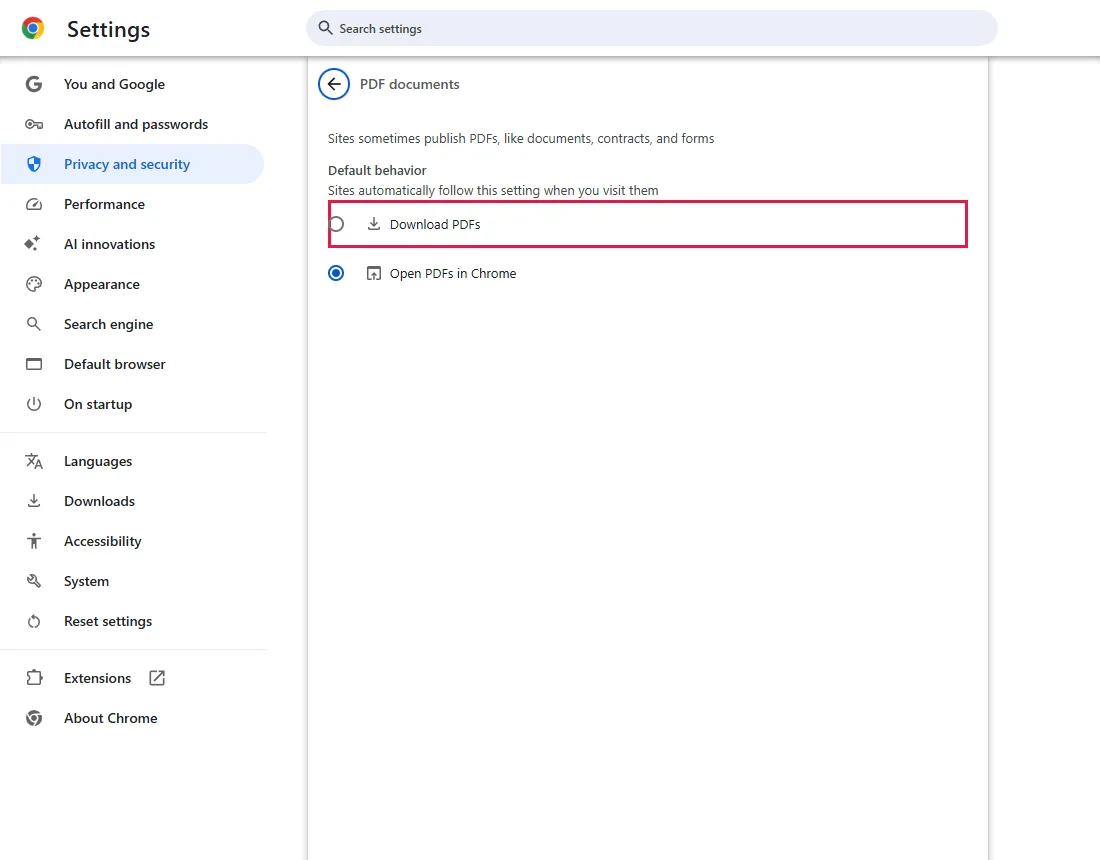
Choose Download PDFs
Click Download PDFs. It is saved right away.
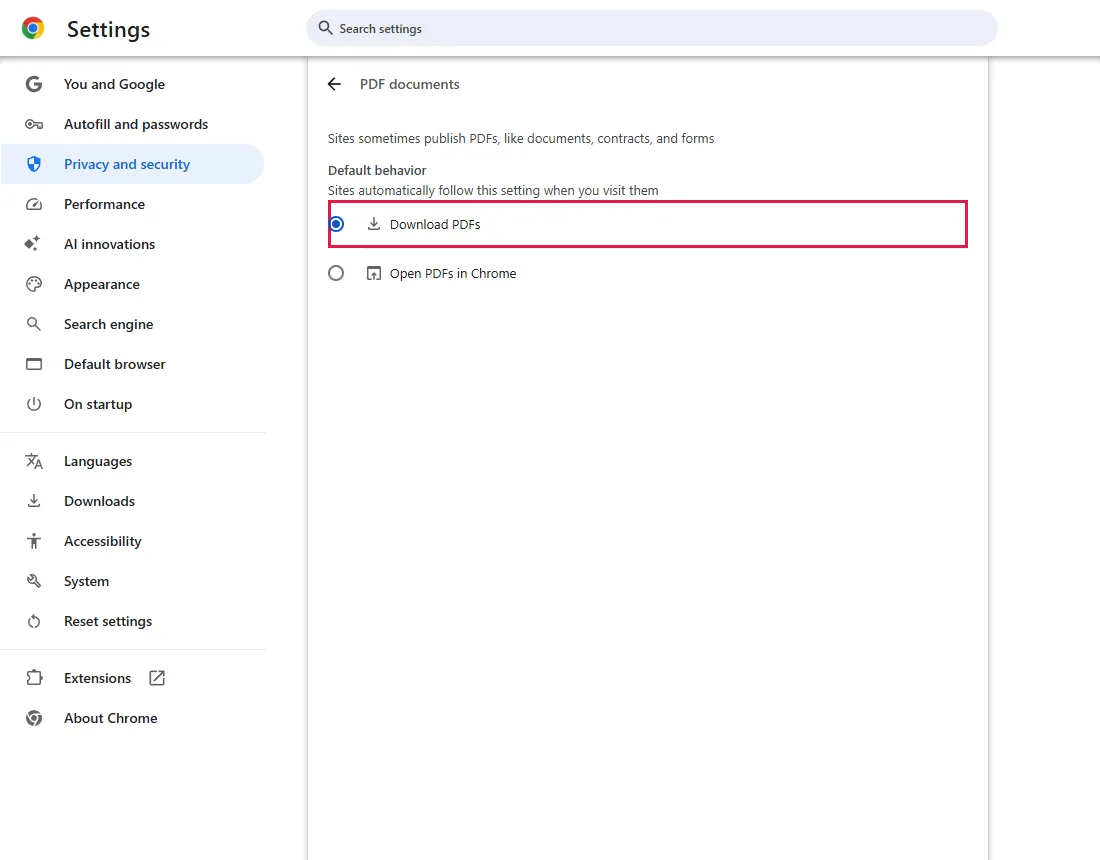
From now on, PDF links are downloaded to your usual download location, or Chrome asks where to save if you turned that on. To change it, see Change where Chrome saves downloads. From official docs, not tested here
To check, open a PDF link from a site you trust and look at the download list with Ctrl+J. We did not open a real PDF in this test.
To go back
Open the same page and choose Open PDFs in Chrome.
Common questions
Can I save one PDF without changing this setting?
Yes. Open the PDF in Chrome and click the download icon at the top of the PDF viewer. From official docs, not tested here
Why does a PDF still download with "Open PDFs in Chrome" selected?
A website can send a PDF as a download on purpose. This setting can't make every PDF open in a tab. From official docs, not tested here
The PDF downloads but opens in the wrong program
This setting only controls what Chrome does with PDF links. Which app opens a saved .pdf file is decided by Windows; change the default app for PDFs there. From official docs, not tested here
Can I do this for one site only?
Not with this setting; it applies to all sites. From official docs, not tested here
If it didn't help
| Situation | What to check |
|---|---|
| PDFs still open in a tab | The site may use its own document viewer instead of a direct PDF link; use the viewer's download button. A PDF extension may also take over: check chrome://extensions. From official docs, not tested here |
| The download is blocked | Chrome or security software may block files from that site. Check the download list with Ctrl+J. From official docs, not tested here |
Related guides
Sources
Google Chrome Help: Download a file
How we make guides: we run each step in a real browser or operating system, capture every screen, and have a person review the result. AI assists with drafting.